

Configuration / Rules and automations
Configure automatic sending rules
Table of Contents
Shipping rules allow you to automate parcel selection when processing an order on Envia Fulfillment. This streamlines your operation, reduces errors and ensures that each order is processed with the best possible service.
- Automates package selection according to customized conditions.
- Prioritize favorite services or the lowest cost.
- Avoid manual errors when choosing parcels for each order.
Types of shipping rules
The sending rules can be configured according to different criteria:
Geographical area
- LocalBased on zones configured in the database.
- DomesticConsiders states and cities within the country.
- InternationalDefines restrictions or preferences by country.
Condition of the order
- FixedA specific or the most economical package is assigned.
- PriceBased on a range of order amount.
- WeightConsider the weight of the order in a defined range.
- ProductsApplicable if the order contains certain SKUs.
Steps to configure a sending rule
Log in to your Envia Fulfillment account.
2. Go to Configuration > Sending rules

3. Define the origin of the shipment
- Fulfillment center. Select the warehouse from where the order will be shipped.
- Shipping type. Choose if it is Local (Shipments within the country), Domestic (Shipments with address of the chosen center) or International (Shipments outside the country).
- Payment method. Select whether the rules apply to Paid, Cash on Delivery or All orders.
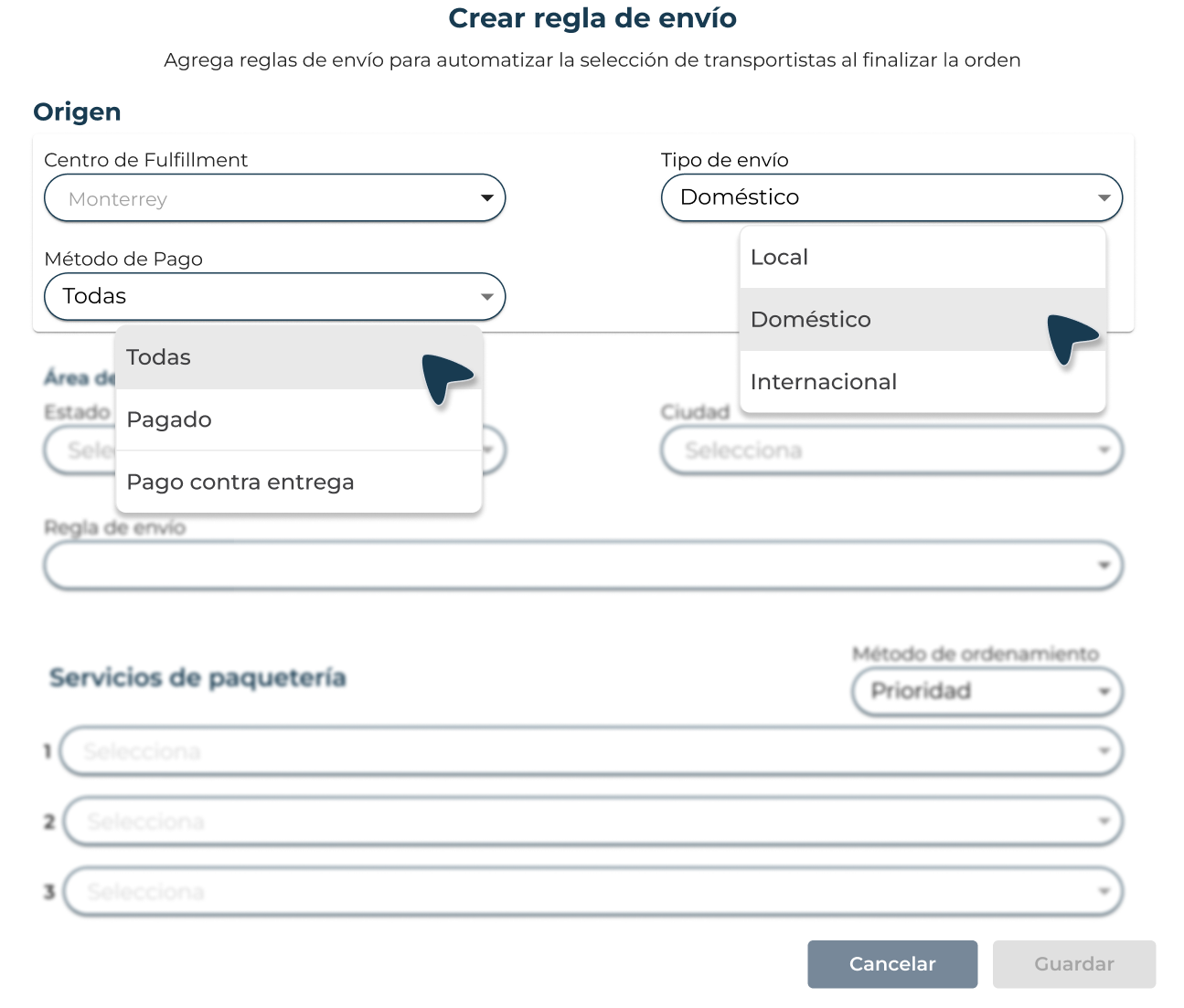
4. Set the sending area
- Choose the state and destination city
- Configure the rule according to the type
- Fixed
- Weight
- Price
- Products (When more than one SKU is added, it is separated using “,” between products)
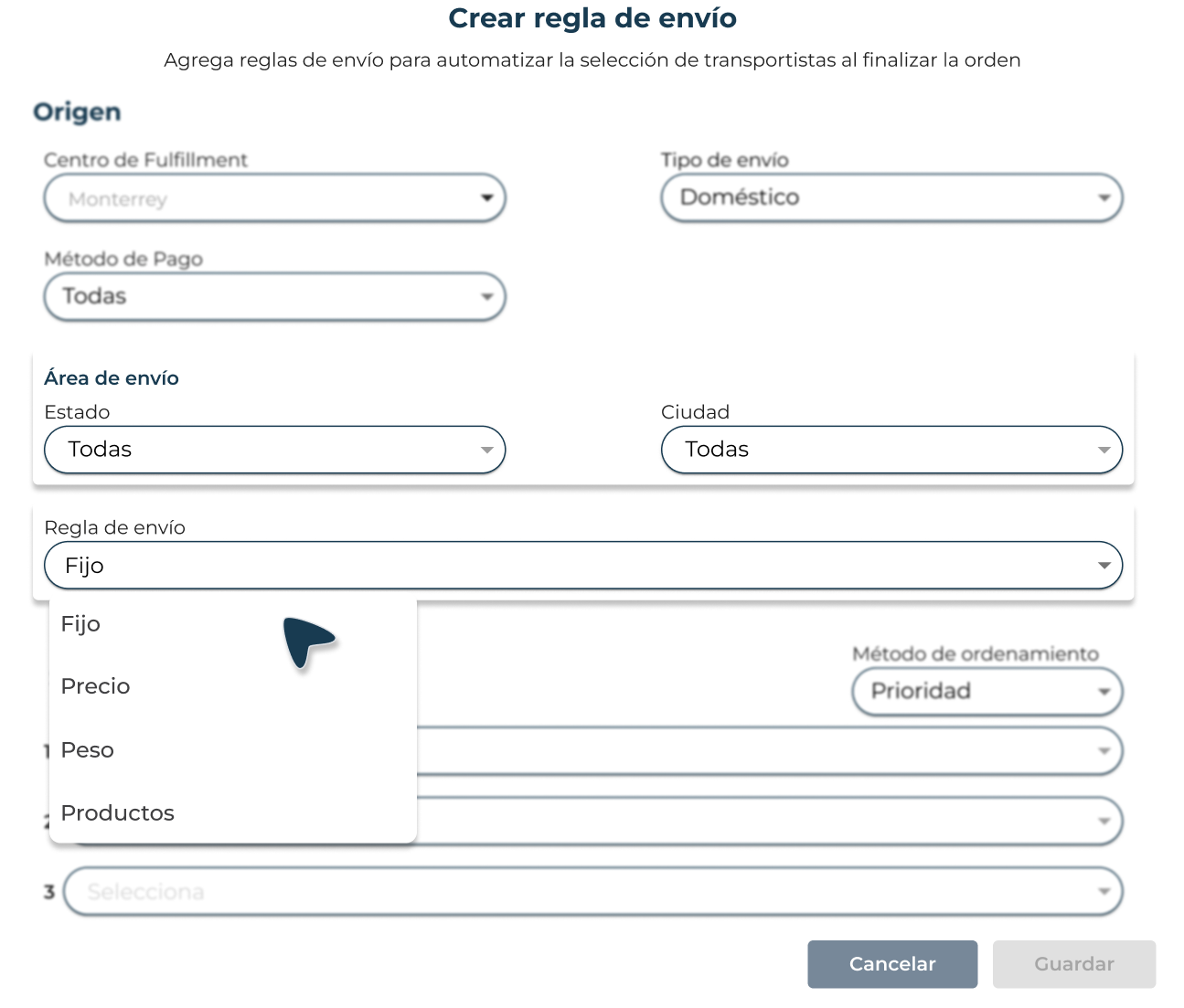
5. Select parcel services
- Choose up to three parcel services
- Defines the order of selection
- Priority
- Cheaper
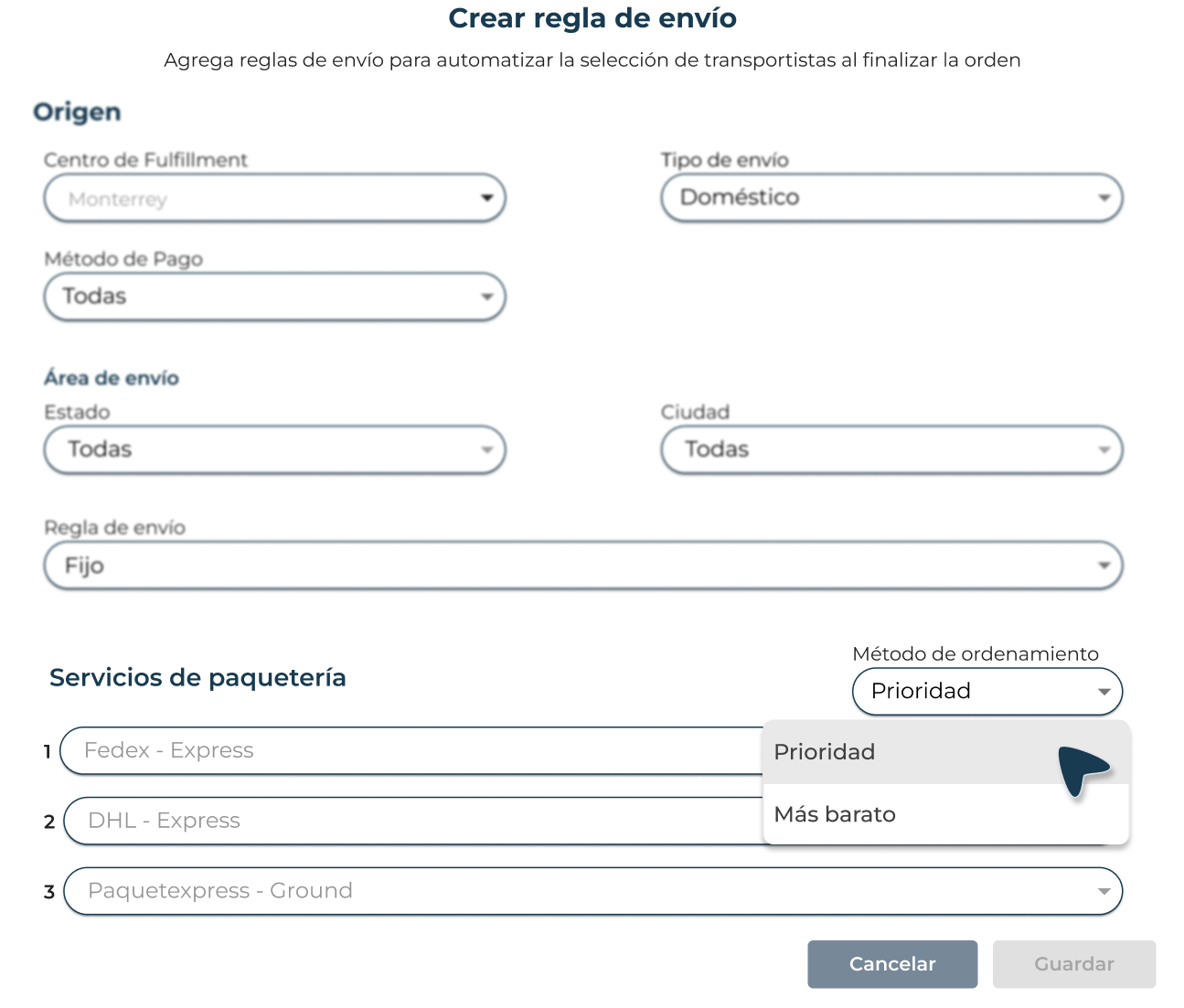
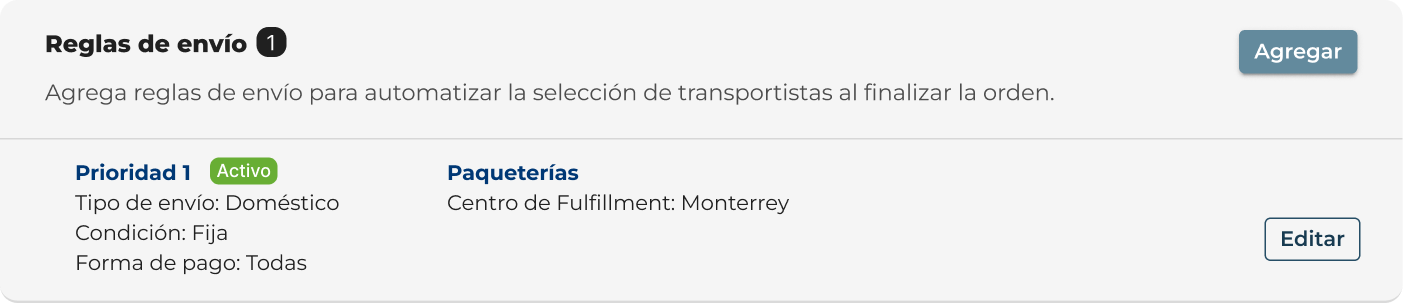
6. Save the changes to activate the rule.

Did you find this resource useful?